
Recruiting the Right Participants from the Lumor Panel
How to define an audience, set quality controls, and launch recruitment so the responses you get are the ones you can actually trust.
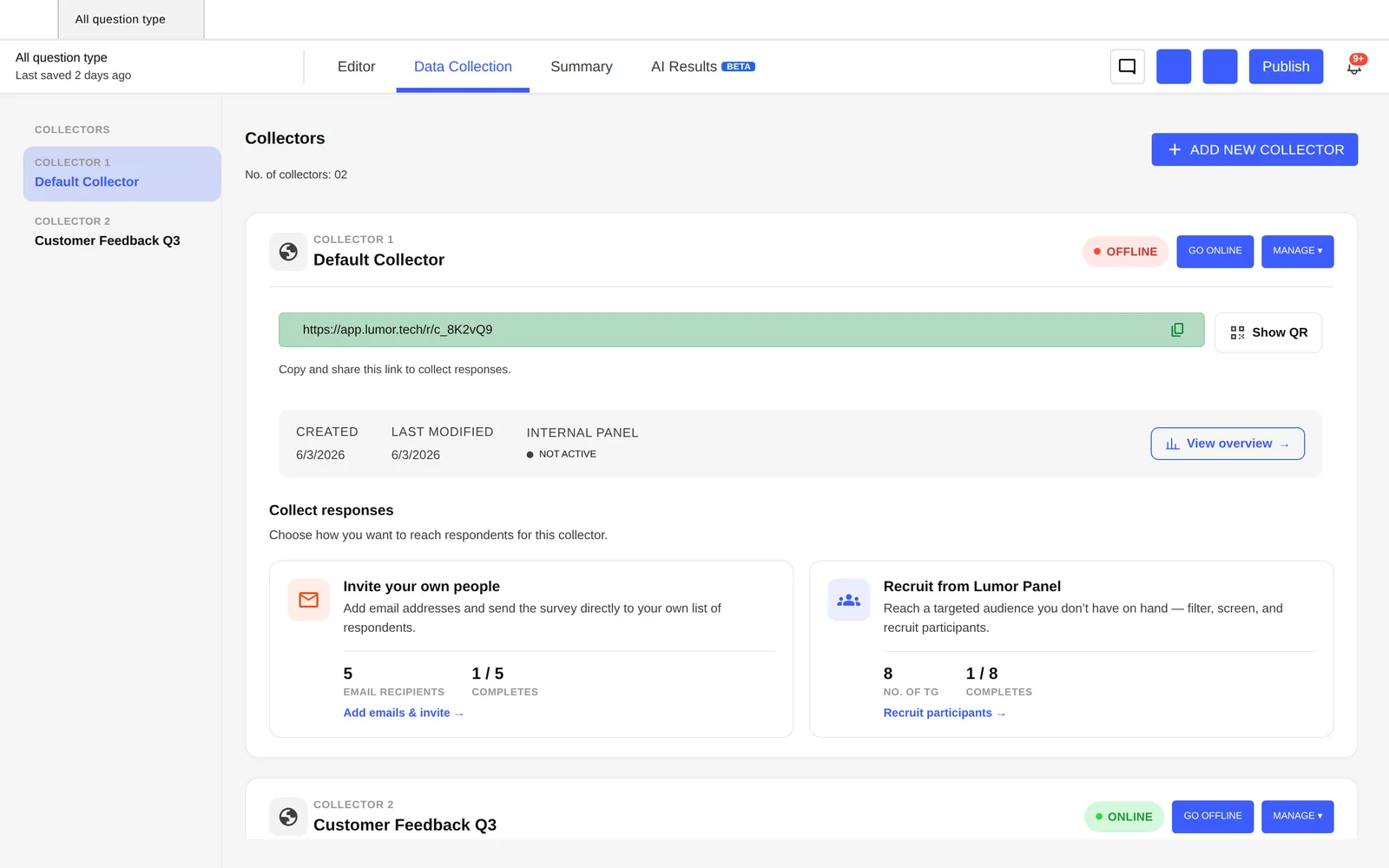
You can run a Lumor survey on your own users with a collector link — but when you need an external audience, or a specific slice of the market you don't already have access to, the participant panel does the recruiting for you.
The panel is built for quality and for India: 3M+ vetted panelists across 30+ countries and 50+ targeting attributes, with genuine Tier 2 and Tier 3 coverage that most global panels lack. This guide covers how to target it well and keep the data clean.
Decide: your users or the panel
Use your own users (via a collector link) when the question is about your product and your existing audience. Use the panel when you need people you can't reach — a new market, a competitor's users, a demographic you don't yet serve, or a fresh sample free of your own selection bias.
Define your audience
Targeting is where panel quality is won or lost. Be specific — a tightly defined audience of the right people beats a large sample of the wrong ones. You can target on attributes such as:
- Role & seniority — e.g. product managers, designers, founders.
- Location — country, region, and Indian Tier 1 / 2 / 3 cities.
- Product category — the kind of product or service your respondents use.
- Company size — for B2B audiences, from startup to enterprise.
- Demographics & behaviour — age, income band, and category-specific attributes.
Write your screening criteria as if you were briefing a recruiter: who must they be, and who must they not be. Tight inclusion and exclusion criteria are what separate a representative sample from a noisy one.
Quality controls that keep data clean
A panel is only as good as its safeguards against fraud and inattentive responses. Lumor's panel applies multiple layers so the responses you analyse are real and considered:
- Email authentication & double opt-in — every panelist is a verified, consenting human.
- Digital fingerprinting — blocks duplicate and bot submissions.
- Geo-IP validation — confirms respondents are actually where they claim to be.
- Quality scoring — flags speeders and low-effort responses.
- 6-month refresh — the panel is continuously renewed so you're not surveying the same fatigued pool.
Set quotas and launch
Decide how many responses you need and split them by segment (e.g. 50% Tier 1, 50% Tier 2/3) so no group is under-represented.
Set the study live; the panel recruits matching participants against your criteria automatically — no manual outreach or agency back-and-forth.
Track responses arriving in the Summary tab in real time, and close the collector once quotas are met.
Key takeaways
- Use your own users for product questions; use the panel when you need an audience you can't otherwise reach.
- Targeting decides quality — define tight inclusion and exclusion criteria before launch.
- The panel's quality layers (auth, fingerprinting, geo-IP, scoring, refresh) keep responses real and considered.
- Set quotas per segment so the sample represents the audience you actually care about, then monitor in Summary.