Insights

Move from responses to decisions

Lumor centralizes response management, question analytics, completion tables, and generated insight surfaces so teams can review evidence quickly.

Insights7 minUpdated May 25, 2026

Quick start

Review results in order

Start broad, then drill into individual evidence.

1

Check collection health

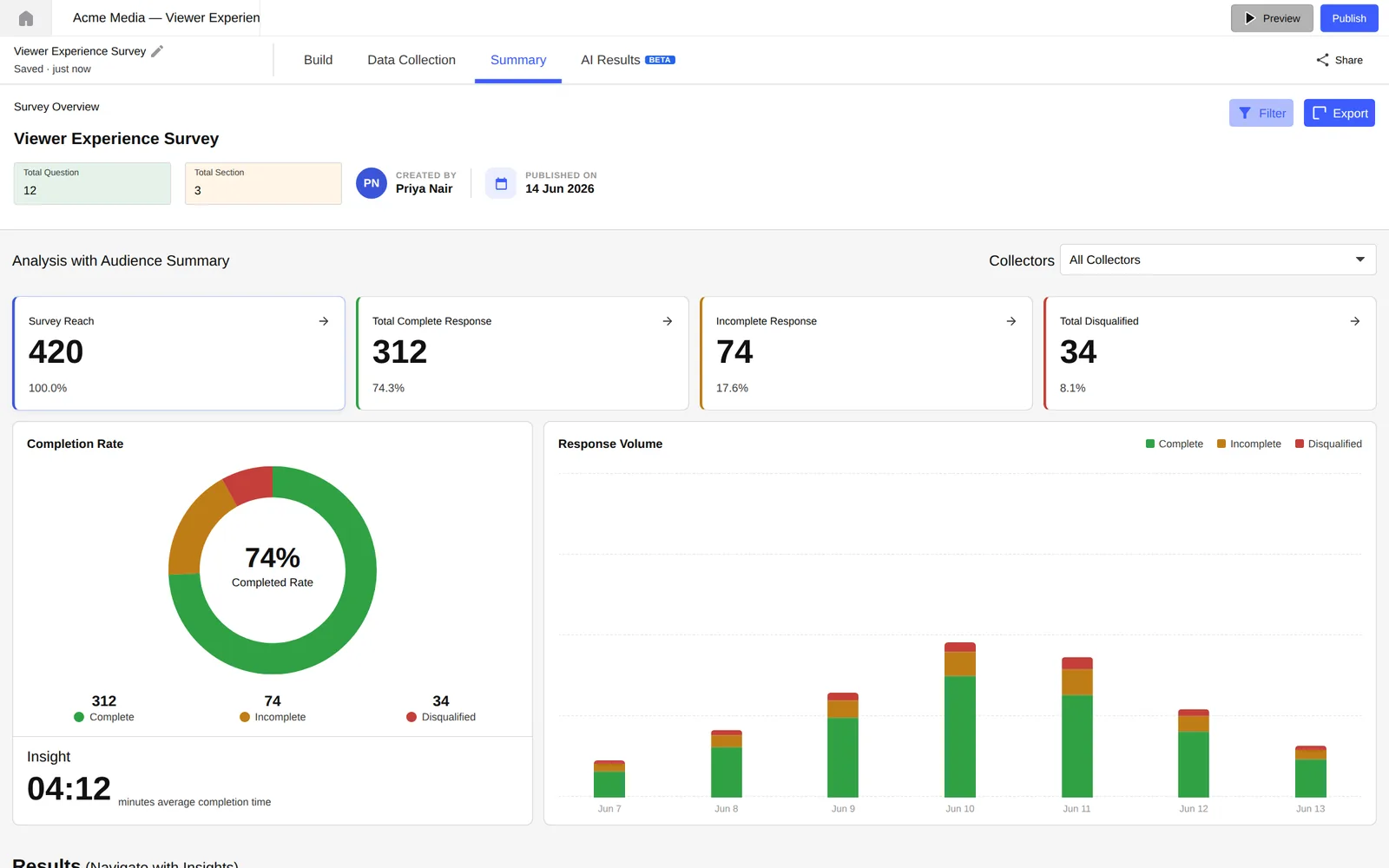
Use summary and reach/complete/incomplete/disqualified tables to confirm the sample is usable.

2

Inspect responses

Open individual responses, recordings, or question analytics to understand what respondents actually submitted.

3

Summarize findings

Use Results to move from raw response data into shareable research outputs and decisions.

Response management

Use response lists to inspect submissions, open individual responses, and compare complete, incomplete, disqualified, and reached respondent states. These views help teams troubleshoot collection health before drawing conclusions.

Summary

Track survey state, response volume, and publishing context.

Question analytics

Review question-level distributions and qualitative answers.

Response tables

Segment reached, complete, incomplete, and disqualified records.

Results

Move from raw responses into shareable research outcomes.

Recordings

Review respondent recordings when the survey captured screen or session evidence.

Generated insight outputs

Lumor's insight workflow is designed to reduce manual synthesis effort. Use result views and report surfaces to communicate findings without manually rebuilding the same charts and summaries outside the app.

Analysis checklist

  • Separate incomplete and disqualified responses from complete responses before interpreting results.
  • Use question analytics for distribution-level patterns and individual responses for evidence.
  • Check respondent recordings or session details when a surprising answer needs context.
  • Share conclusions only after confirming the collection state and sample quality.