
Track third-party survey journeys through Lumor
An intercept is a Lumor-hosted routing layer between your respondent source and an external survey tool such as Typeform, SurveyMonkey, Qualtrics, or a custom research destination.
Use Intercepts when the actual survey runs outside Lumor but you still need Lumor to show a branded start page, preserve respondent identifiers, pass metadata into the external link, receive completion callbacks, and record outcomes.
Quick start: build a working intercept
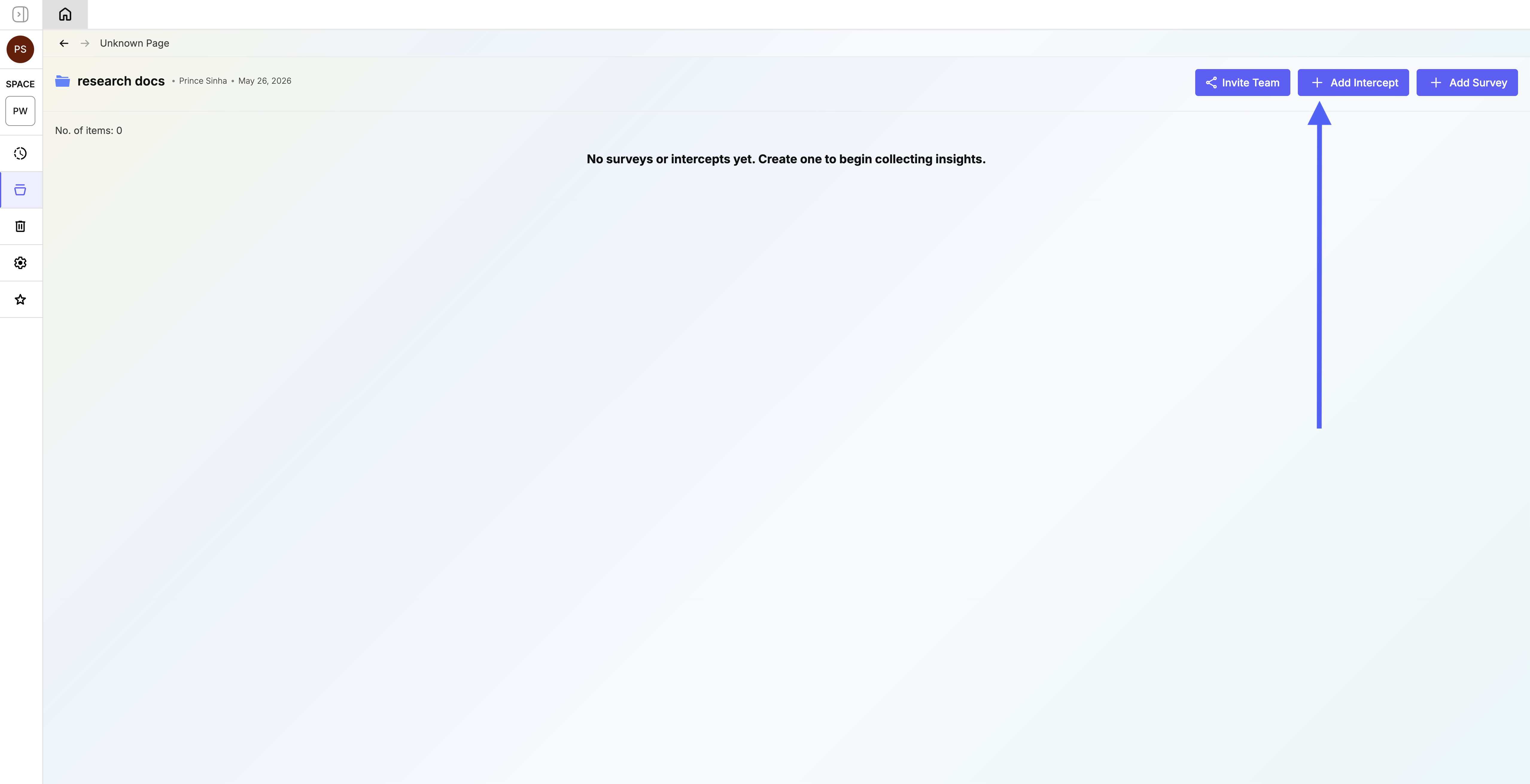
Set up the redirect flow before sending traffic to respondents.
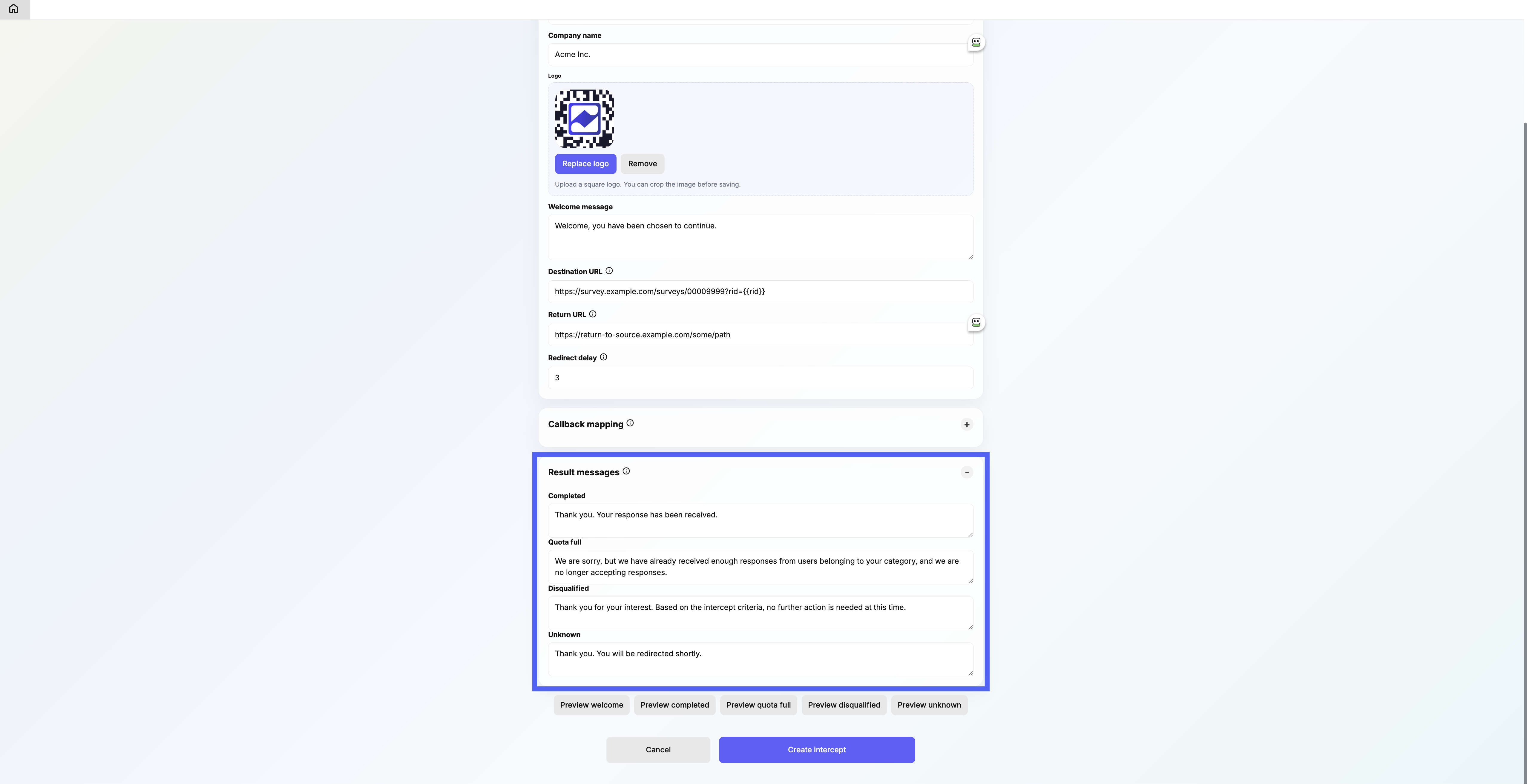
- Create and brand itCreate the intercept in the right folder, add the company name, logo, and welcome or result messages.
- Connect the URLsAdd the Destination URL, Return URL, callback mapping, and outcome values required by your survey tool.
- Test every outcomeOpen the Entry URL with a test rid, complete the external survey, and verify Summary and Insight views update.
Configure an intercept step by step
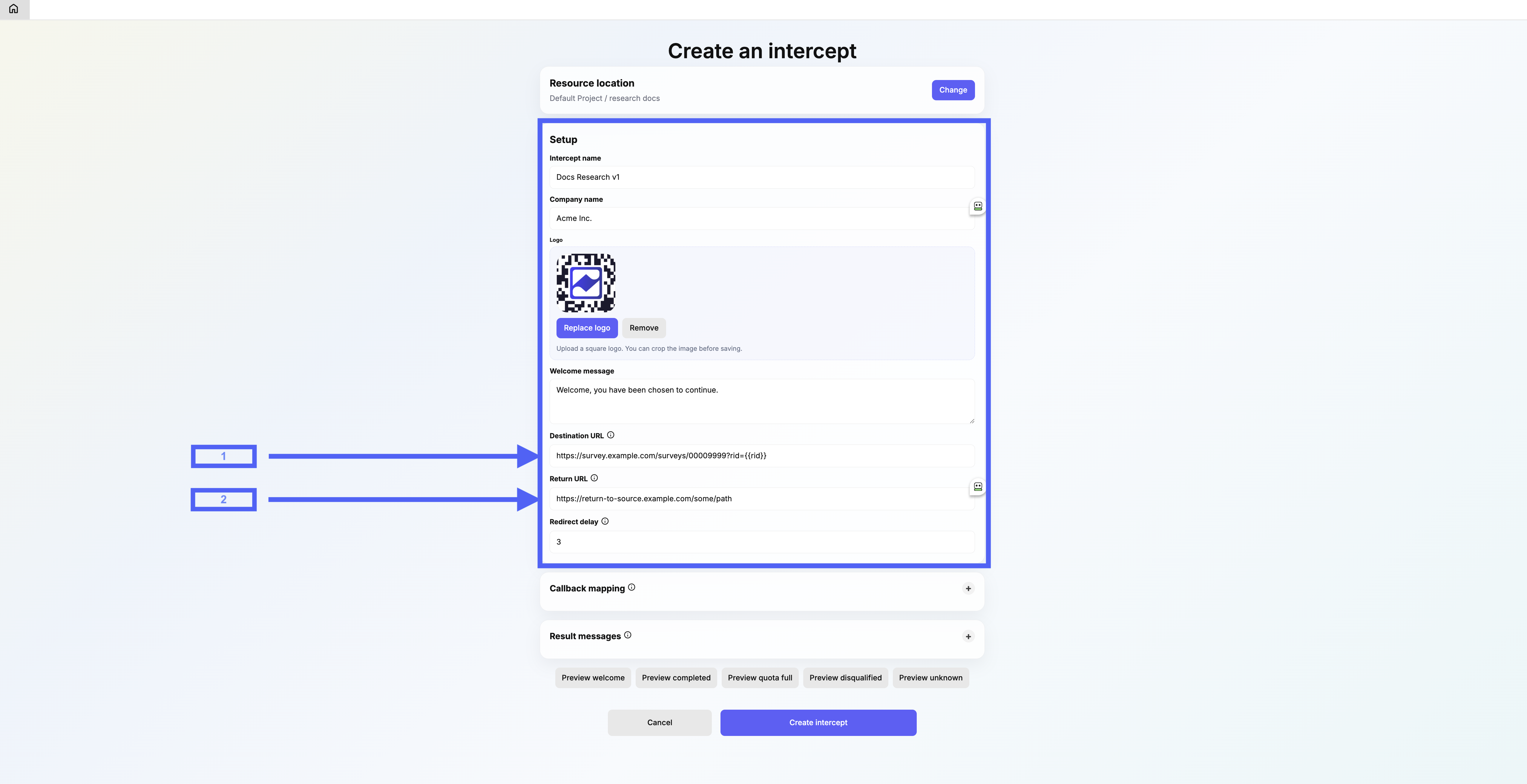
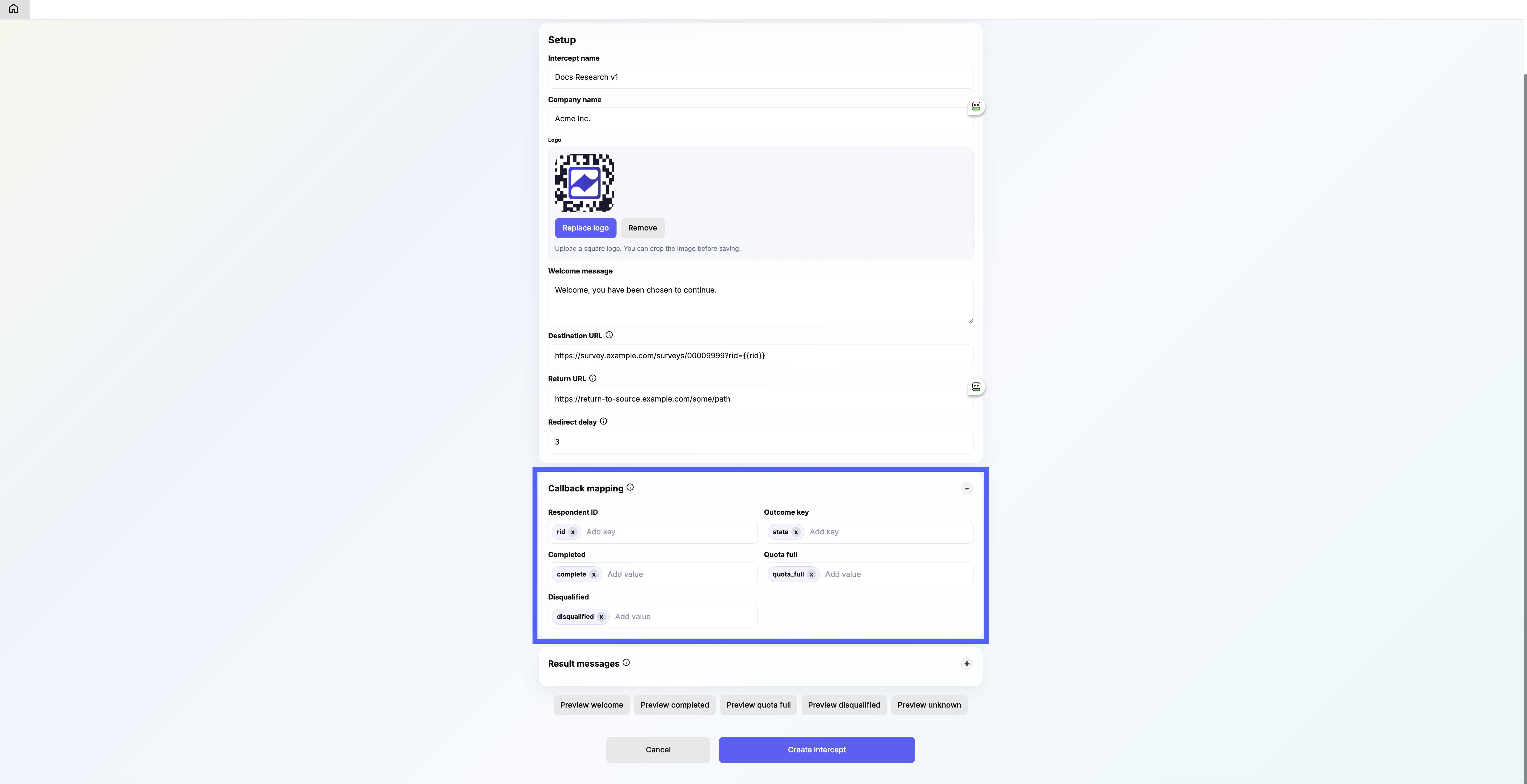
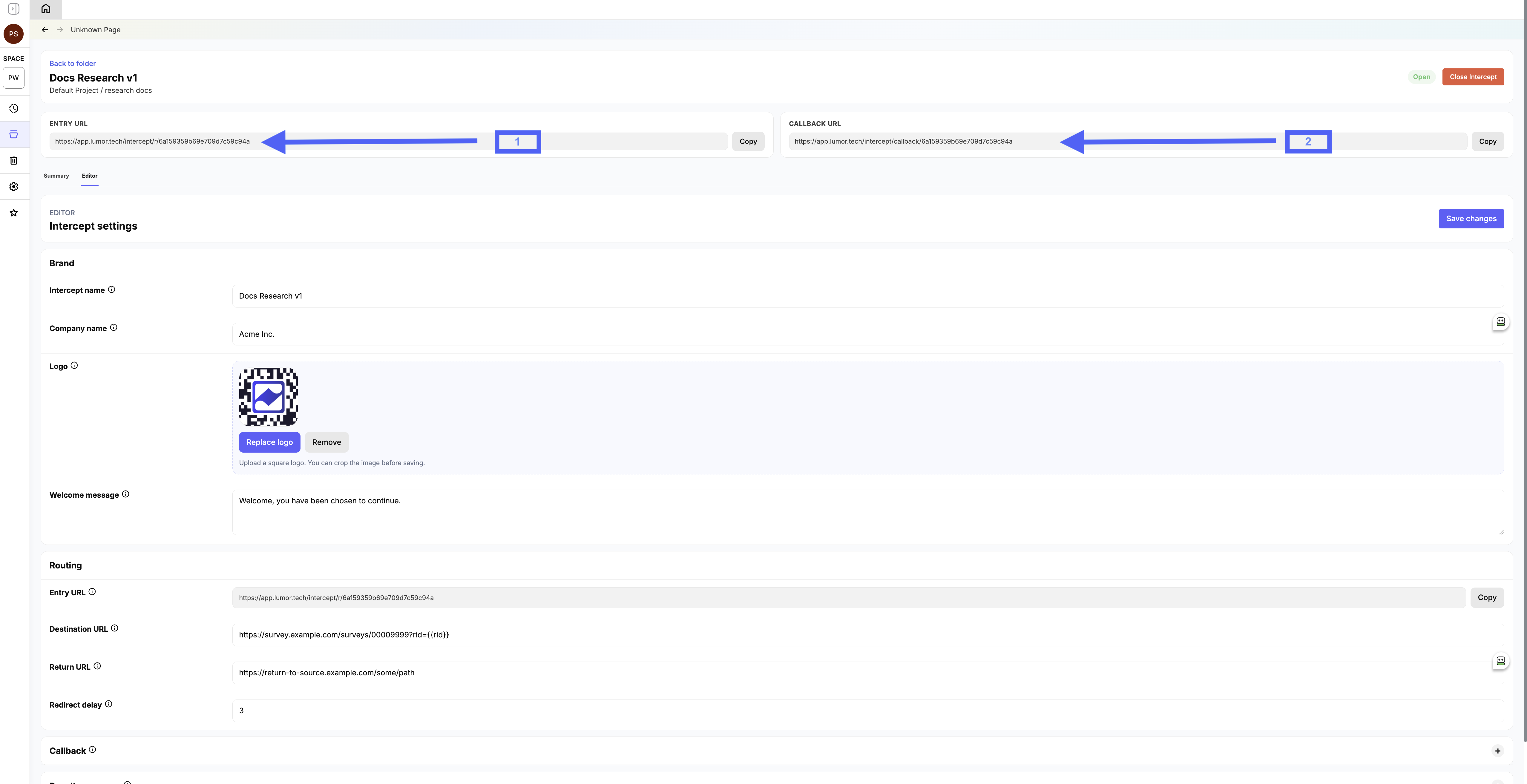
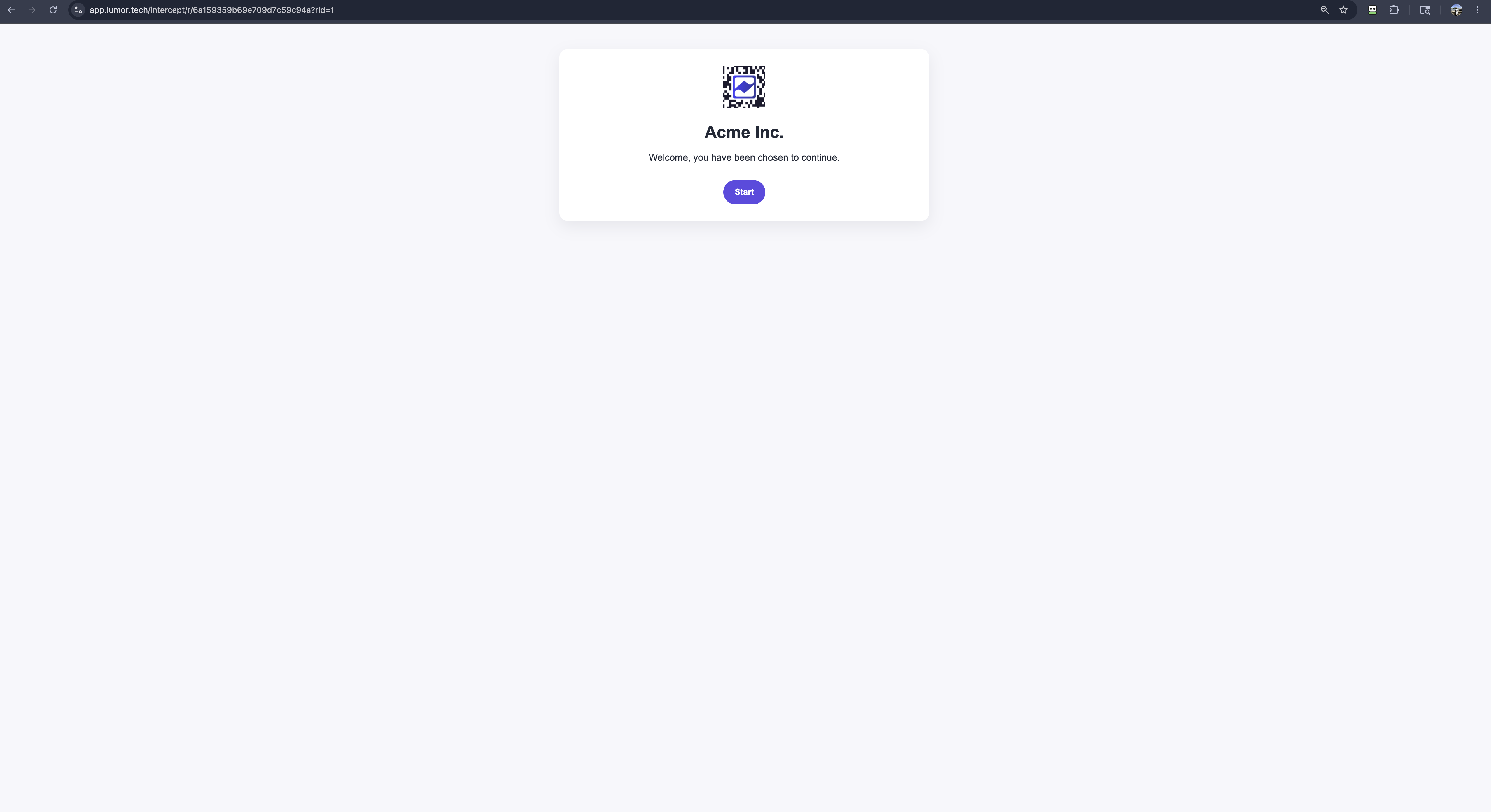
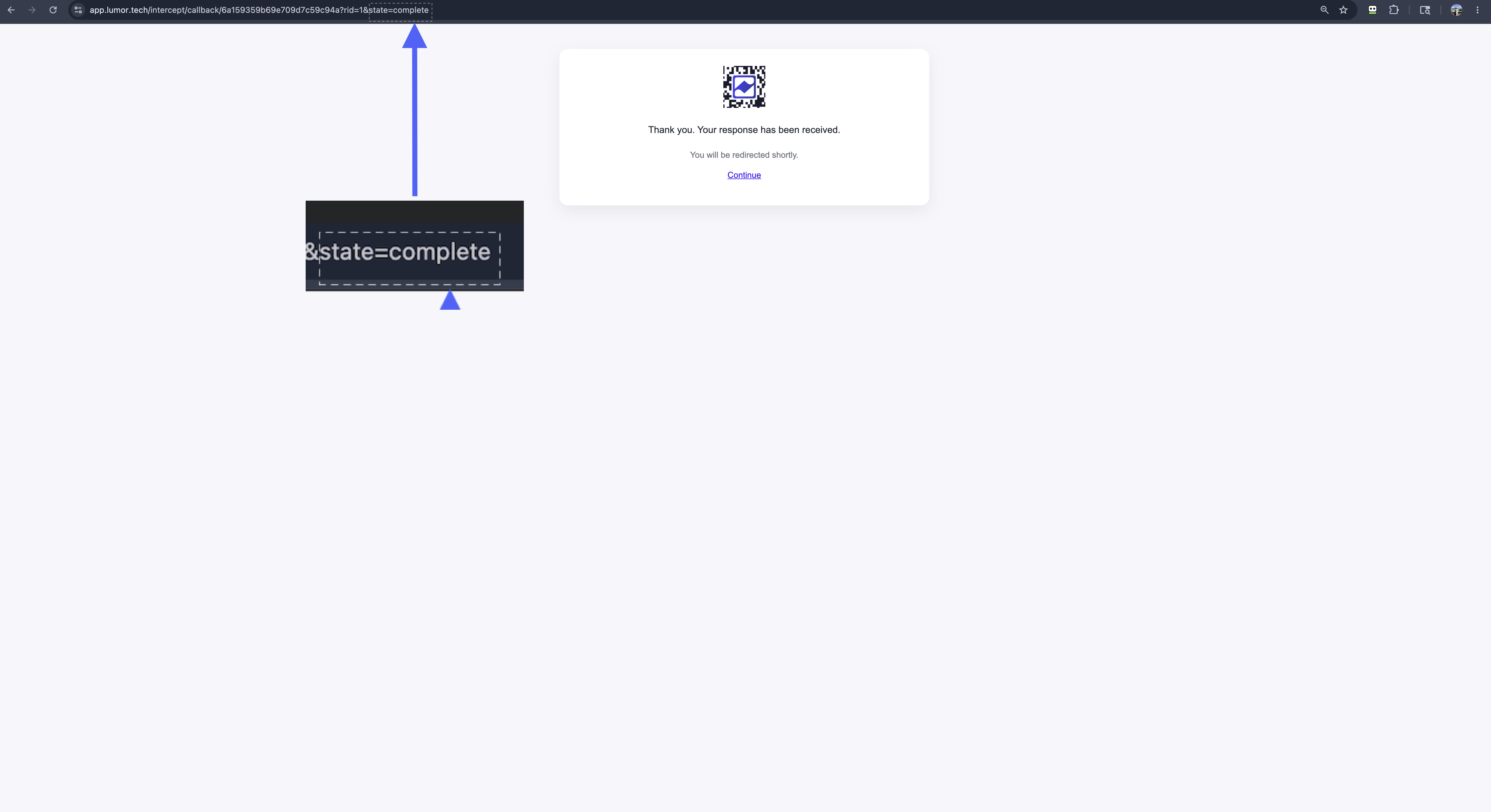
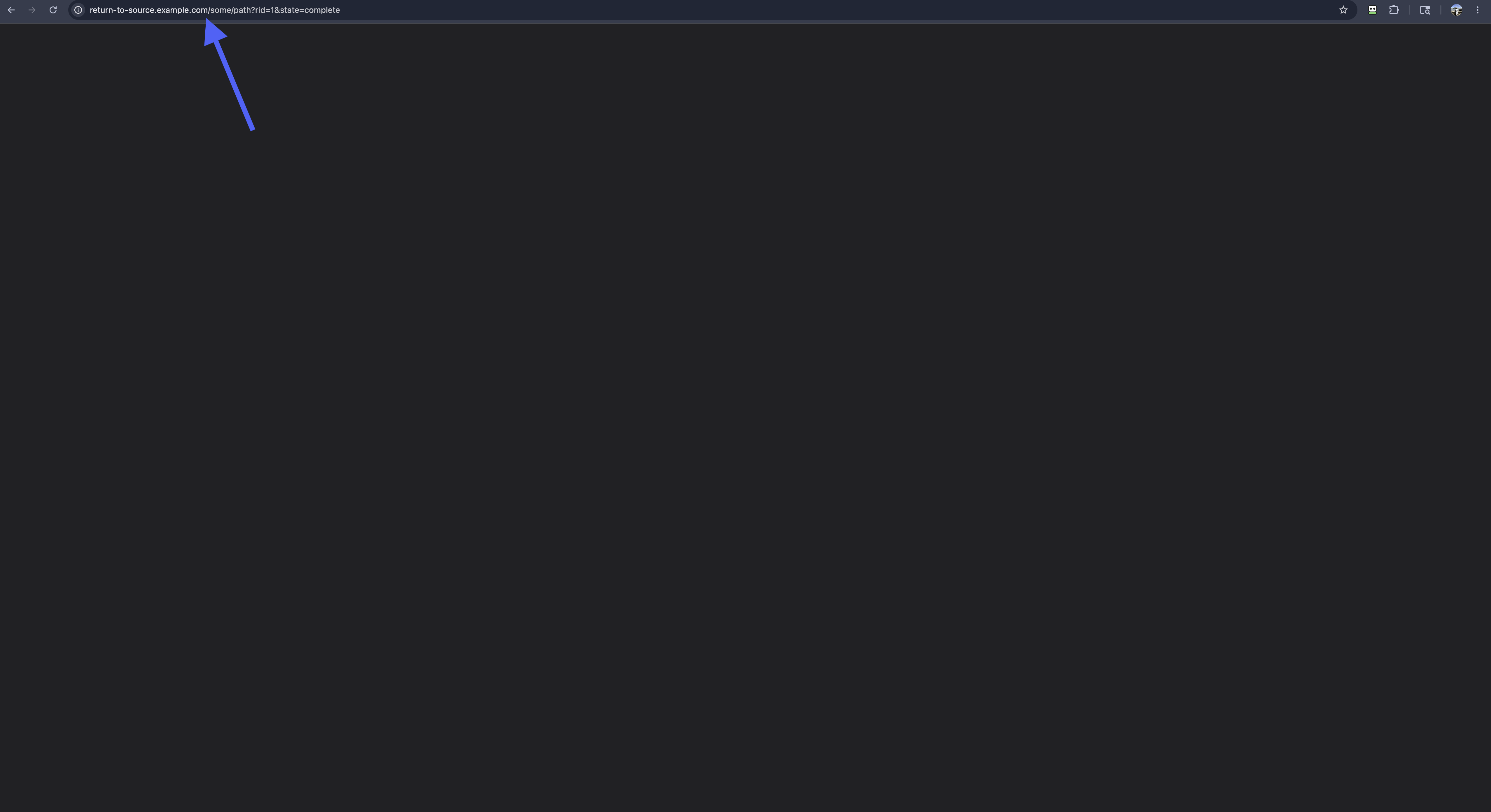
Follow these production screenshots to set up a working intercept from start to finish.
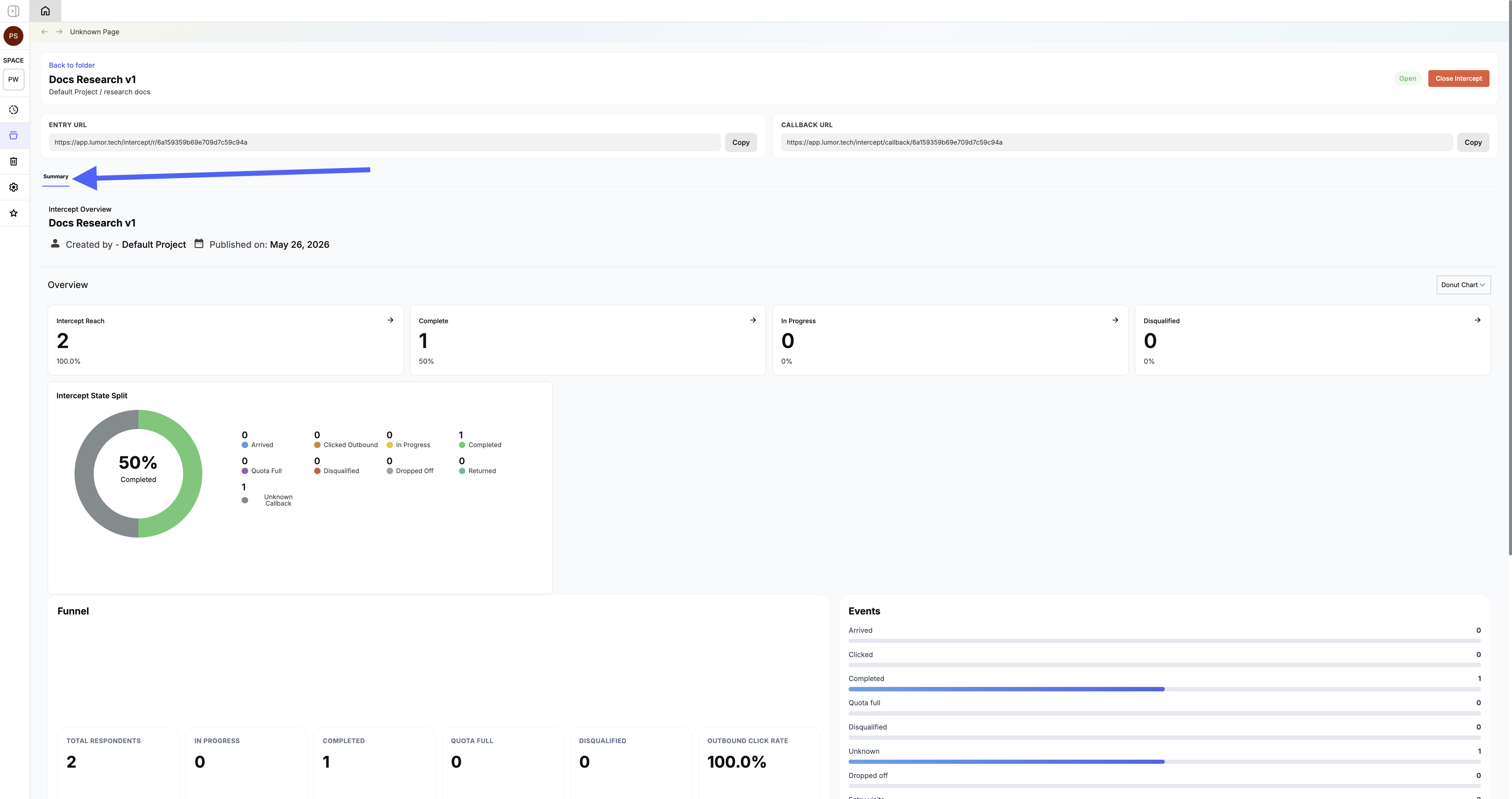
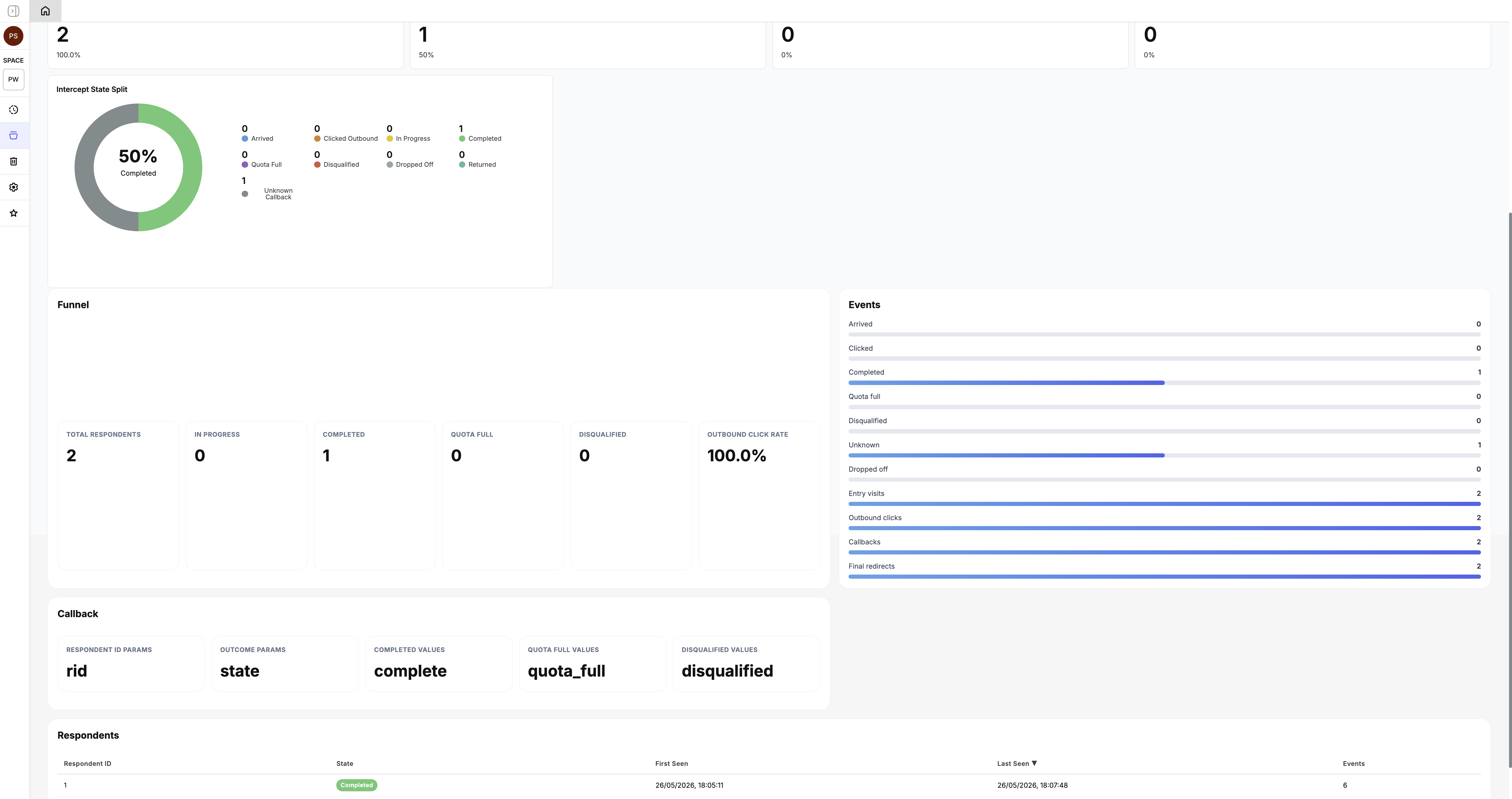
What an intercept does
- EntryRespondents open the Lumor Entry URL. Lumor captures query parameters such as rid, segment, source, or campaign.
- WelcomeLumor renders your logo, company name, and welcome message before the respondent starts the external survey.
- Outbound redirectLumor records the click and sends the respondent to the destination URL, replacing placeholders like {{rid}} with captured values.
- CallbackThe external survey redirects back to Lumor with an outcome such as complete, quota_full, or disqualified. Lumor preserves every callback query parameter it receives.
- Terminal messageLumor shows the matching result message, waits for the configured delay, and sends the respondent to your final return URL with the callback parameters preserved as query parameters.
Configuration fields
| Field | What to enter | Notes |
|---|---|---|
| Resource location | Project and folder | Controls where the intercept appears and who can access it. |
| Intercept name | Internal name | Used in Lumor lists and detail pages. |
| Company name | Respondent-facing brand | Shown on welcome and terminal screens. |
| Logo | PNG, JPG, or WebP | Upload and crop the logo. Keep it lightweight for fast respondent pages. |
| Welcome message | Short intro copy | Displayed before the respondent starts the external survey. |
| Destination URL | External survey URL template | Use placeholders such as {{rid}} or {{segment}} from the Entry URL. |
| Return URL | Final customer URL | Where respondents go after Lumor handles a callback. |
| Redirect delay | 0 to 30 seconds | Controls how long the terminal message stays visible. |
Supported URL placeholders
Destination URLs can include placeholders wrapped in double braces. Lumor resolves them from Entry URL query parameters and stores all received parameters, even when only some are used in the destination template.
Example
Entry URL: https://app.lumor.tech/intercept/r/6a159359b69e709d7c59c94a?rid=abc-123&segment=enterprise
Destination URL: https://survey.example.com/surveys/00009999?rid={{rid}}
Rendered outbound URL: https://survey.example.com/surveys/00009999?rid=abc-123
Callback mapping
Callback mapping tells Lumor how your external tool names respondent identifiers and outcome states. Keep the defaults when your vendor sends rid and state. Add aliases only when the external tool uses different keys or values.
| Mapping | Default | What it means |
|---|---|---|
| Respondent ID | rid | The query parameter used to match callbacks to a respondent journey. |
| Outcome key | state | The query parameter that carries the final outcome. |
| Completed | complete | Marks the journey as completed. |
| Quota full | quota_full | Marks the respondent as quota full. |
| Disqualified | disqualified | Marks the respondent as screened out or disqualified. |
| Unknown | Any unmapped value | Stores the callback as an unknown terminal state for review. |
Callback URL example
https://app.lumor.tech/intercept/callback/6a159359b69e709d7c59c94a?rid=abc-123&state=complete
What Lumor tracks
Supported external tools
Intercepts work with tools that can open a URL with query parameters and redirect back to a completion URL. This includes many survey platforms, panel vendors, and custom survey flows. The external tool must be able to preserve a respondent identifier or send enough callback metadata for matching.
Operational checklist
Before launch, test at least one completed, quota-full, disqualified, and unknown callback path. Confirm that the external tool sends the expected respondent ID and outcome fields, then verify the respondent appears correctly in the Intercept Summary tab.